UnityYAML and Unicode: Character Encoding Issues in Unity Serializer
In-depth analysis of Unicode character encoding issues that occur in UnityYAML
UnityYAML and Unity Serializer
Unity uses YAML files in various formats, including meta files. However, UnityYAML is not the standard YAML 1.2 but rather a custom YAML library optimized for Unity.
Looking at the official documentation, we can identify several important details:
“You cannot externally produce or edit UnityYAML files.”
In other words, in plain scalars (unquoted scalars) and single-quoted scalars, UTF-8 bytes are passed through without decoding. However, in double-quoted scalars, the parser actively attempts to interpret escape sequences. This creates an asymmetry in escape policies.
Additionally, UnityYAML doesn’t support YAML elements like comments, complex structures, mapping keys, and tags. So it’s accurate to understand UnityYAML as a subset of YAML 1.2 and a custom format tailored to Unity’s specific requirements.
Unicode Overview
Before reading this document, it’s helpful to understand a basic overview of Unicode. Unicode is a standard that represents all characters in the world with unique code points. Each character has a code point between U+0000 and U+10FFFF, which can be represented using encoding schemes like UTF-8, UTF-16, and UTF-32.
- Code Point An abstract number assigned by Unicode to each character. Represented as U+0041, with 16-digit notation after U+. The current assignment range is U+0000 ~ U+10FFFF (total of 1,114,112).
U+0041  →  'A'
U+AC00  →  '가'
U+1F600 →  '😀'
U+0000  →  NULL (U+0000 is a valid CP)
- Code Unit The unit that an encoding writes to actual memory. The size varies by encoding, and a single code point can be represented by multiple code units.
UTF-8  : 1 code unit = 1 byte
UTF-16 : 1 code unit = 2 bytes
UTF-32 : 1 code unit = 4 bytes

'가' (U+AC00)
  UTF-8  : 3 code units (3 bytes)
  UTF-16 : 1 code unit  (2 bytes)
  UTF-32 : 1 code unit  (4 bytes)
-
BMP (Basic Multilingual Plane) U+0000~U+FFFF. Most modern characters are located here. Represented as 2 bytes in UTF-16.
-
Surrogate Pair To represent characters above U+FFFF in UTF-16, two code units (4 bytes) are used as a pair. High (D800-DBFF) + Low (DC00-DFFF).
-
BOM (Byte Order Mark) In UTF-16/32, placed at the beginning of a file to indicate byte order. UTF-8 BOM (EF BB BF) is unnecessary but common in Windows.
The Problem
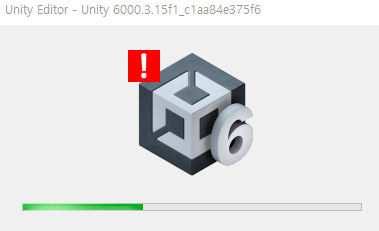
While developing, I attempted to use Unicode emoji (🃏) in localization and encountered the following error:
Error Message
[Worker2] Unable to parse file Assets/Localization/Tables/Share_ko.asset:
  [Parser Failure at line 24: Found invalid Unicode character escape code]
The en file parsed the literal UTF-8 emoji correctly, but the ko file had the emoji converted to a surrogate pair escape (\uD83C\uDCCF). The Unity YAML parser appears to reject the lone high surrogate.
How Unity Serializer Decides on Escaping
While searching for related issues in the Unity forum, I found a similar case:
This will properly serialize into unicode, and the string will be surrounded by quotes. This works on device.

"This is only a test. \U0001F3F0\U0001F622" (two copied and pasted emoji, as invisible characters in the string field)

However, if I then manually type the unicode in so that I can see it in editor, the resulting YAML will not have quotes around it, and it will not work on device.

This is only a test. \U0001F3F0\U0001F622 (manually typed, or copied from the prior YAML)
String field serializes with and without quotes depending on content?
Based on this test, it appears the serializer automatically chooses the quoting style based on string content. The rules can be inferred roughly as follows:
- All characters can be safely represented as plain scalar → No quotes (plain scalar)
- Special characters, control characters, trailing whitespace, or starting with special char → Double-quoted + escape
- If double-quoted is chosen, non-ASCII characters are converted to \u escape
From a String.Length perspective, one character outside the BMP is two chars (a surrogate pair) from C#’s perspective. So when the serializer iterates through char[] to create escapes, processing at the code unit level rather than code point level produces \uD83C\uDCCF. The reason \U0001F0CF format doesn’t appear is that .NET String’s internal representation is itself a sequence of UTF-16 code units.
So What Exactly Happened?
Since Unity’s source is proprietary, we can’t be certain, but several scenarios are plausible.
-
Korean Text Trigger Hypothesis The serializer may have entered the “non-ASCII detected → double-quoted + escape policy” mode because of the Korean text in the ko file, causing the emoji in the same string to also be treated as \uXXXX. → However, if this were true, the Korean text should also be escaped. But Hangul (U+AC00~) in the BMP can be safely represented as valid UTF-8 bytes even in plain scalars, so there’s no need to escape. This suggests the emoji, not Korean text, was the actual trigger.
-
Emoji Trigger + Different Serialization Path per Locale Hypothesis When Unity Localization package serializes string entries, if non-BMP characters like emoji are present, the serializer enters the double-quoted path.
However, the en file was stored as literal UTF-8 bytes and wasn’t re-serialized afterward, whereas the ko file had its entire m_Localized section re-serialized when Korean text was edited, and the emoji was converted to \uXXXX escape at that point.
This suggests the difference isn’t “what text is in it” but rather “who/when/what tool last wrote that file”. The forum example shows identical content serializing differently based on input method (clipboard vs typing). Unity treats this as intended behavior, so that thread received no fix.
- Known Serialization Bug in Unity Localization 1.x Series Looking at the Unity Localization changelog, we can find several escape-related fixes:
“Fixed Android build failure when the application name contains an escape character (LOC-292)”
We can also find an IL2CPP-related bug reported in 2022:
These bugs show a consistent pattern. Unity appears to have ongoing inconsistency issues with surrogate pair handling. The Localization package itself is ScriptableObject-based, and Unity’s native YAML serializer applies the automatic quoting rules described above when writing string fields of ScriptableObjects. Since the Localization package doesn’t have a separate emoji-safe writer, these problems occur.
Why Is a Lone Surrogate Treated as Invalid Escape?
Looking at the YAML 1.2.2 spec, we can confirm the following: “Escape sequences are only interpreted in double-quoted scalars… Escaped 16-bit Unicode character (\u)… Escaped 32-bit Unicode character (\U)”
Standard YAML expects both \uXXXX and \Uxxxxxxxx to be valid Unicode scalar values. The surrogate range (U+D800–DFFF) is not a valid scalar value.
“The spec around escaped unicode characters lacks any mention of surrogates being encoded in two \u sequences, but rather specifies \u as: which is an unhelpfully not-even-wrong statement. In practice, trying to treat JSON as a subset of YAML results in things not round-tripping” YAML is equally horrible and the spec is an order of magnitude more complex.
While JSON conventionally allows surrogate pair pairings like \uD83C\uDCCF (explicitly covered in RFC 8259), in YAML it’s USB (Unspecified Behavior), decided by each parser implementation. The UnityYAML parser chose the strict side, rejecting lone surrogates immediately. Other YAML libraries like yaml/YAML2 also explicitly mention this on their wiki:
“It is only possible to place invalid UTF-16 in a scalar by using the double-quoted notation” Yaml wiki
So the situation appears as follows:
- Unity native serializer writes
\uD83C\uDCCF(escaping at the UTF-16 code unit level) - When Unity YAML parser reads the file, it encounters the
\uD83Ctoken and tries to interpret it as a single Unicode scalar value - The U+D800–DBFF range is not a valid scalar value → “invalid Unicode character escape code”
Even within the same tool, the agreement between writer and reader breaks down. The writer assumes “this is a UTF-16 surrogate pair, so the reader will handle pairing,” while the reader follows strict YAML spec and rejects it. This is actually a Unity issue.
Why Did the en File Survive?
By the hypothesis above, the en file should also have problems, but the issue actually only occurred in the ko file.
This survival can be explained by the following hypotheses:
-
The en file was created with an older Unity version or different path, stored as plain scalar or single-quoted scalar. Since
\isn’t interpreted as an escape character, emoji UTF-8 bytes survive intact, and the parser passes through plain scalar UTF-8 bytes as-is. -
The en file was also double-quoted, but the serializer outputs literal UTF-8 for strings with only BMP characters, and the escape conversion is triggered when non-BMP characters (emoji) are newly added. If emoji wasn’t in the en file initially and was added later through a different path (e.g., importer, batch script, source control), escaping could have been avoided.
If the ko text was directly edited in the Inspector → SerializedObject.ApplyModifiedProperties → asset write trigger → escape policy applied, this sequence would occur.
If the en file wasn’t touched in the meantime, maintaining its previous format, and with the same emoji code but different results, the difference could be “who last wrote that file”.
Validation/Defense Strategies
-
Avoid non-BMP characters entirely in localization. Emoji comes with TextMeshPro Atlas issues anyway, so practically avoiding them is often best.
-
Use the U+10XXXX escape format. The YAML spec allows \Uxxxxxxxx (capital U, 8 digits) to represent non-BMP directly without surrogates.
-
Run byte validation scripts in CI after .asset file changes. The surrogate range is 0xED 0xA0 0x80 ~ 0xED 0xBF 0xBF (UTF-8 encoded surrogates, technically invalid UTF-8), or patterns like \uD[89AB] can be caught with grep:
# If output exists, lone/surrogate-pair escape → crash risk
grep -Pn '\\uD[89AB][0-9A-Fa-f]{2}' Assets/Localization/Tables/*.asset

# Find surrogate escape patterns in all .asset files
grep -rPn '\\u[Dd][89ABab][0-9A-Fa-f]{2}' Assets/Localization/Tables/

# Find lone surrogates (unpaired) in YAML
grep -rPn '\\u[Dd][89AB][0-9A-Fa-f]{2}(?!\\u[Dd][CDEFcdef])' Assets/
- Check Unity version. This serialization bug may have been fixed in specific Unity versions. Check Editor version and Unity Localization package version updates together.
Summary
In conclusion, this crash appears to result from three different specs intersecting:
- C# string’s UTF-16 internal representation
- Unity serializer’s inconsistent escape policy
- YAML scalar value definition’s exclusion of surrogates
Each layer alone is harmless, but their combination creates this crash chain.
References
- The Absolute Minimum Every Software Developer Absolutely, Positively Must Know About Unicode and Character Sets (No Excuses!)
- Unity YAML Manual
- String field serializes with and without quotes depending on content?
- YAML Spec
- Invalid UTF-8 Handling
- YAML is equally horrible and the spec is an order of magnitude more complex
- Unity IL2CPP surrogate pair issue
- Unity Localization Change logs